B2B quoting and offer management software
Create professional offers, send a secure client link, see opens, accepts, or change requests — then move to a contract without starting over.
14-day trial — full workspace access before you pay.
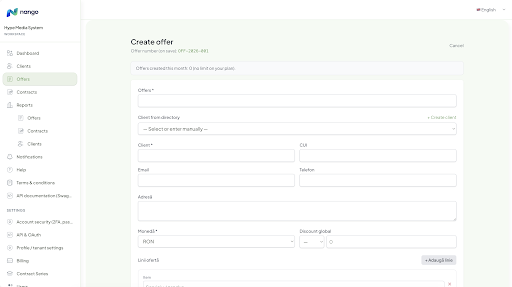
Quoting without email chaos
Instead of PDF-by-email and lost negotiation threads, Nango gives you an offer portal: the client responds in a structured way, and you keep history in your workspace.
Client data, line items, and offer status stay together — ready for internal approval and contract.
From accepted offer to contract
When the offer is agreed, you continue in the same product: generate the contract, annexes, and on eligible plans send for e-signature.
So “offer management” is not a siloed tool — it is the start of the same deal flow.
Useful checks before you send
Where enabled, you can validate company details and EU VAT (VIES) to reduce errors in offers and contracts before the document reaches the client.
Offer management FAQ
Does the client need a Nango account? expand_more
No. They get a public offer link (with expiry / revoke as needed) and respond in the browser.
Can offers require internal approvals? expand_more
Yes, on plans with workflows: you configure who approves before the offer is sent or before the next step.
How does it connect to contracts? expand_more
After acceptance, you continue with contract management in the same workspace — see that page.
Also see
Send your next offer from Nango
14-day trial: offer, negotiation, contract, and signing — without switching apps at every step.